Two Claude Accounts, One Machine: Hot-Swapping Subscriptions with CLAUDE_CONFIG_DIR
Your work seat and your personal seat can both stay logged in, run at the same time, and share every agent and skill you've written — because CLAUDE_CONFIG_DIR quietly namespaces the credential entry by a hash of the directory. Here's the mechanism, the full setup for bash and zsh, and a prompt you can paste to have Claude build it for you.
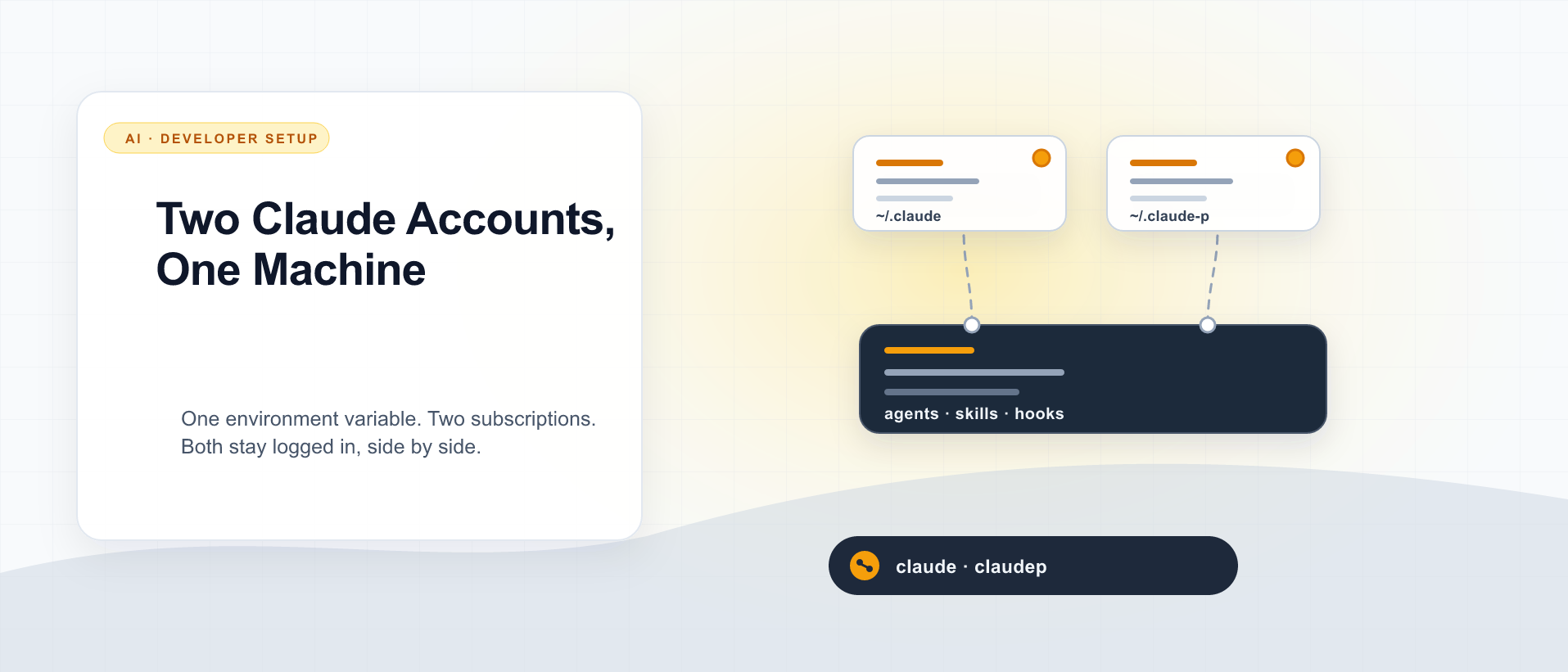
If you have a Claude subscription through work and another one you pay for yourself, you’ve probably done the ugly version of this: /logout, /login, wait for the browser round-trip, work for an hour, then do it all again in reverse because you want to push something to your own repo. Or you’ve quietly given up and run everything through one account, which works right up until the day a client asks whose terms your code was written under.
There’s a clean fix, and it’s one environment variable. CLAUDE_CONFIG_DIR points Claude Code at a different configuration directory, and — this is the part that isn’t in any doc I could find — when you set it, Claude Code automatically gives that workspace its own credential entry. Not a shared one it overwrites. Its own. Both accounts stay authenticated indefinitely, and you can run them side by side in two terminal tabs on two different subscriptions.
By the end of this post you’ll have a claudep command sitting next to your normal claude, sharing every agent, skill, and hook you’ve written, with completely separate sessions, history, and login. The last section is a prompt you can paste into Claude Code to have it do the whole thing for you.
September 2026 update: My current Claude setup also shares projects/, sessions/, and history.jsonl between the two homes so I can resume by ID from either account. The isolated-session recipe below remains a valid starting point when conversations need to stay separate. I used the same explicit choice in a Codex companion post.
One framing note before the mechanics: this is for two seats you legitimately hold — the work-and-personal split is the canonical case, and it’s the one Anthropic’s own terms are easiest to satisfy. It is not a trick for pooling quota across accounts you don’t own.
The one-line version
CLAUDE_CONFIG_DIR="$HOME/.claude-work" claudeThat’s it. That command starts Claude Code against a completely separate configuration directory. First run, it’ll ask you to log in — use the second account. From then on, that directory remembers that account, and your normal claude never notices anything happened.
Everything below is about making that ergonomic, sharing the parts you want shared, and understanding why it doesn’t collide.
Why it doesn’t collide: the credential namespacing
This is the piece worth understanding, because if you don’t know it’s there you’d reasonably assume two config dirs would fight over one login.
On macOS, Claude Code stores its OAuth credentials in the system Keychain rather than on disk. Pull the service name out of the bundle (v2.1.232) and you find this:
function DZ(e = "") {
  let t = process.env.CLAUDE_SECURESTORAGE_CONFIG_DIR,
      r = t !== void 0 ? !t : !process.env.CLAUDE_CONFIG_DIR,
      n = t !== void 0 ? t.normalize("NFC") : xn(),
      o = r ? "" : `-${createHash("sha256").update(n).digest("hex").substring(0, 8)}`;
  return `Claude Code${OAUTH_FILE_SUFFIX}${e}${o}`;
}
Read o. When CLAUDE_CONFIG_DIR is unset, it’s an empty string and you get the plain default name. When it is set, you get a suffix: the first eight hex characters of the SHA-256 of the config directory path. The credential read is called as DZ("-credentials"), so the two entries end up as:
Claude Code-credentials              ← your default ~/.claude
Claude Code-credentials-8e41d12c     ← CLAUDE_CONFIG_DIR=~/.claude-p
You can verify both on your own machine without printing any secrets. The account field is just your Unix username:
# The default entry (metadata only — no -g, so no secret is dumped)
security find-generic-password -s "Claude Code-credentials" | grep svce

# Derive the suffix the second workspace will use
printf '%s' "$HOME/.claude-p" | shasum -a 256 | cut -c1-8
Two entries, two accounts, no overwriting. That’s the whole trick, and it means you never log out of either one.
On Linux and WSL there’s no Keychain, so credentials live in a file called .credentials.json — and that file lives inside the config directory. Different mechanism, same outcome: point CLAUDE_CONFIG_DIR somewhere else and the credentials go with it. The setup below works identically on both platforms.
What actually moves with the config dir
I checked this empirically rather than trusting the name — ran the CLI with CLAUDE_CONFIG_DIR pointed at an empty scratch directory and watched what appeared:
CLAUDE_CONFIG_DIR=/tmp/cfgtest claude mcp list
# → "No MCP servers configured."
# → /tmp/cfgtest/.claude.json created
# → ~/.claude.json untouched
The one that surprises people is .claude.json. That’s the file holding your per-project history, onboarding state, and user-scoped MCP servers — and it relocates too. So does projects/, sessions/, todos/, shell-snapshots/, and history.jsonl.
Which is mostly what you want. It’s also why a fresh config dir feels weirdly empty: none of your agents, skills, commands, hooks, or plugins are there either. That’s the next decision.
Decide what’s shared before you build
You have three options, and they’re genuinely different setups — not just cosmetic:
- Share config, isolate sessions. Symlink
agents/,skills/,commands/,hooks/,scripts/,plugins/, andCLAUDE.mdfrom your primary dir. Write a skill once, both accounts have it. Sessions, history, projects, and credentials stay separate. This is what I run and what I’d recommend for the work/personal split, because your tooling isn’t what needs isolating — your identity and history are. - Copy, then diverge. One-time copy instead of symlinks. Both start identical and drift apart. Pick this if the two accounts genuinely need different agents (different employer’s conventions, say).
- Fully independent. Empty directory, nothing shared. The strictest separation, and the most work to maintain twice.
The rest of this post builds the first one. The other two are the same steps with cp -rf instead of ln -s, or with the linking step deleted entirely.
Build it
I’ll use ~/.claude-p and a claudep command. Rename freely — just keep the directory path stable afterward, because it’s the input to that credential hash. Move the directory later and you’ll be asked to log in again.
1. Create the directory and link the shared parts
P="$HOME/.claude-p"
mkdir -p "$P"

for item in agents skills commands hooks scripts plugins CLAUDE.md; do
  [ -e "$HOME/.claude/$item" ] && ln -s "$HOME/.claude/$item" "$P/$item"
done
Symlinks, not copies, so editing ~/.claude/skills/foo/SKILL.md updates both workspaces at once. Skip any of those you don’t have — a fresh Claude Code install won’t have most of them.
2. Copy settings, don’t link them
cp -f "$HOME/.claude/settings.json" "$P/settings.json"A copy, deliberately. settings.json is where /model, /config, and permission grants write, and you want those per-account — a permission you grant your work seat shouldn’t silently apply to your personal one.
If your settings reference hook scripts by absolute path (~/.claude/hooks/…), leave those paths alone. They’ll resolve to the primary directory from either workspace, which is exactly right when the hooks are shared.
3. Carry over your MCP servers
This is the step everyone forgets, and the symptom is confusing: your second workspace launches fine but every MCP tool has vanished. User-scoped MCP servers live in .claude.json, which didn’t come along.
jq '{mcpServers: (.mcpServers // {})}' "$HOME/.claude.json" > "$P/.claude.json"
chmod 600 "$P/.claude.json"
That copies the server definitions and nothing else — no history, no project list, no account state. chmod 600 because MCP configs routinely carry API keys.
Note the asymmetry here: locally-configured MCP servers copy over fine, but MCP connectors you authorized through claude.ai are bound to the account, so the second workspace gets whatever its account has connected. That’s correct behavior, but it will surprise you the first time.
4. Add the shell command
A shell function, not an alias — it passes arguments through cleanly and command stops it recursing if you ever name the function claude.
For zsh (~/.zshrc):
# Second Claude Code account. CLAUDE_CONFIG_DIR namespaces the credential
# entry, so both subscriptions stay logged in at once.
claudep() { CLAUDE_CONFIG_DIR="$HOME/.claude-p" command claude "$@"; }
For bash (~/.bashrc, or ~/.bash_profile on macOS if that’s what your terminal sources):
claudep() { CLAUDE_CONFIG_DIR="$HOME/.claude-p" command claude "$@"; }Identical — this is plain POSIX function syntax. Then exec zsh / exec bash, or open a new tab.
5. Log in and verify
claudep
/login          # sign in with the second account
Then prove the isolation rather than assuming it. From a normal shell:
# Different account on each side
claude  -p "say only the word one" >/dev/null && echo "primary ok"
claudep -p "say only the word two" >/dev/null && echo "secondary ok"

# Two credential entries now exist
security find-generic-password -s "Claude Code-credentials" >/dev/null && echo "default cred ✓"
security find-generic-password -s "Claude Code-credentials-$(printf '%s' "$HOME/.claude-p" | shasum -a 256 | cut -c1-8)" >/dev/null && echo "second cred ✓"
On Linux, swap those last two for ls ~/.claude/.credentials.json ~/.claude-p/.credentials.json.
Homebrew, npm, or the native installer — it doesn’t matter
Worth saying plainly, because it’s the question I’d expect first: how you installed Claude Code is orthogonal to this. CLAUDE_CONFIG_DIR is read by the CLI at startup, whichever binary that is.
brew install --cask claude-code        # → /opt/homebrew/bin/claude
npm install -g @anthropic-ai/claude-code   # → your active Node's bin dir
curl -fsSL https://claude.ai/install.sh | bash   # → ~/.local/bin/claude
All three read the same variable. The function above uses command claude, which resolves through PATH, so it follows whatever you have installed without edits.
There are two real consequences, though, and they’re both in your favor:
- One binary, both accounts. You update once.
brew upgrade --cask claude-code, ornpm i -g @anthropic-ai/claude-code@latest, or the native installer’s auto-update — whichever applies, both workspaces are on the new version immediately, because only the config directory is duplicated, not the install. - npm installs under a Node version manager are the one fragile case. If you installed globally via npm under nvm/mise/asdf and later switch Node versions,
claudedisappears fromPATH— for both workspaces at once. Nothing to do with multi-account, but it’ll look like it broke your new setup. The native installer or the Homebrew cask sidesteps it.
Things that will bite you
You can’t tell the two apart on screen. Same statusline, same theme, same everything — and running the wrong account is a silent mistake, not a loud one. Fix it in thirty seconds: run /config inside claudep and pick a different theme. It writes to that workspace’s own settings.json, so the two become visually distinct forever.
The function only exists in an interactive shell. Scripts, cron jobs, editor integrations, cmux/tmux session spawners, and other agent harnesses won’t see claudep. Use the explicit form there:
CLAUDE_CONFIG_DIR="$HOME/.claude-p" claude -p "…"Don’t move the directory. The credential entry is keyed on the path’s hash. mv ~/.claude-p ~/.claude-work orphans the Keychain entry and you’ll re-authenticate. Not fatal, just annoying — pick the name you want up front.
Shared hooks keep their own state. If you symlink hooks/ and your hooks write state files next to themselves, that state stays shared across both accounts. Usually fine, occasionally not — worth a look if your hooks track anything session- or account-specific.
Three accounts work the same way — ten don’t, quite. Nothing about the mechanism is limited to two. The ergonomics above are, though; see the scaling section after the prompt.
The prompt
If you’d rather not do any of the above by hand, paste this into a Claude Code session and let it build the thing. It’s written to figure out your shell and install method on its own, and to stop rather than clobber anything that already exists.
Set up a second Claude Code workspace on this machine so I can run two Claude
subscriptions side by side — my current account stays exactly as it is on
`claude`, and a new shortcut starts the second account.

Do this:

1. Verify the mechanism first. Find the claude install (brew cask, npm global,
   or native installer at ~/.local/share/claude) and confirm this version
   supports CLAUDE_CONFIG_DIR. Test it empirically: run `claude mcp list` with
   CLAUDE_CONFIG_DIR pointed at a scratch dir, confirm a separate .claude.json
   is created there and that ~/.claude.json is NOT modified. Then delete the
   scratch dir.

2. Create ~/.claude-p as the second workspace. Abort if it already exists.

3. Share my tooling: symlink agents, skills, commands, hooks, scripts, plugins,
   and CLAUDE.md from ~/.claude into it (skip any that don't exist). Copy
   settings.json rather than linking it, so model/theme/permissions are
   per-account.

4. Carry over my local MCP servers: write ~/.claude-p/.claude.json containing
   ONLY the mcpServers key from ~/.claude.json, then chmod 600 it.

5. Detect my shell (zsh or bash) and the rc file it actually sources, then add:
       claudep() { CLAUDE_CONFIG_DIR="$HOME/.claude-p" command claude "$@"; }
   with a short comment above it. Match the surrounding style of that file and
   don't disturb anything else in it.

6. Verify: confirm the function loads in a fresh shell, and that
   `CLAUDE_CONFIG_DIR=~/.claude-p claude mcp list` shows my servers.

Then tell me exactly what to run to log the second account in, and what is
shared vs. separate between the two workspaces.
Two notes on running it. It will edit your shell rc file — read the diff before you accept it, the same as any other agent edit. And it can’t log you in; the /login browser round-trip at the end is yours to do.
Scaling this to ten
This setup holds up to roughly ten workspaces on one machine, and the things that scale are the ones you’d worry about first. The credential namespacing has no N in it — ten directories, ten hashes, ten Keychain entries, no collisions. One binary serves all of them, so you still update once. Symlinked tooling is stored once no matter how many workspaces point at it. Even disk is fine: the heavy directory is projects/ (1.5 GB on my primary), but that’s your existing transcript volume getting partitioned across workspaces, not duplicated.
Three things do need changing past two or three.
Replace N functions with one dispatcher. Ten near-identical lines in your rc file is copy-paste rot, and adding the eleventh means editing the file again:
# cc <workspace> [args…]   ·   cc  (no args) lists what exists
cc() {
  local ws=$1; shift 2>/dev/null
  if [ -z "$ws" ]; then
    for d in "$HOME"/.claude-*/; do [ -d "$d" ] && basename "$d" | sed 's/^\.claude-//'; done
    return
  fi
  local dir="$HOME/.claude-$ws"
  [ -d "$dir" ] || { echo "no such workspace: $ws" >&2; return 1; }
  CLAUDE_CONFIG_DIR="$dir" command claude "$@"
}
Now cc work, cc client-a, cc personal, and the eleventh workspace costs zero rc-file edits — it’s just a directory.
Decide what happens to settings.json drift. There’s no include or extends mechanism for user settings — the precedence chain is managed → policy → user → project → local → flags, with user settings as one flat file per config dir. So at ten workspaces, one permission change is ten edits. Either symlink settings.json too and accept shared model/theme/permissions, or generate each file from a template with a small per-workspace overlay. Both are defensible; drifting by accident is not.
Make the statusline say which workspace you’re in. At two, a different theme is enough. At ten you’ll run out of themes, and running the wrong account is a silent failure, not a loud one. The environment variable reaches the statusline and hooks — they’re child processes of the session, so they inherit it:
$ WORKSPACE_LABEL=probe-xyz claude -p 'printenv WORKSPACE_LABEL'
probe-xyz
Which means one shared statusline-command.sh can read $CLAUDE_CONFIG_DIR, strip the prefix, and print [client-a] on every render. One script, every workspace, nothing per-directory to maintain.
Two limits worth knowing before you commit to a large number. History fragments permanently — --resume and --continue only see the current workspace’s projects/, and there’s no cross-workspace search. And the config directory path is the credential key, so reorganizing your directory names later means re-authenticating each one.
Past ten, or the moment the accounts belong to different people rather than one person wearing different hats, this design is the wrong one — you want the operating system’s isolation instead of an environment variable’s. That’s a different post: Past Ten: Running Claude Code for a Team on One Debian Box.
The underlying idea
The reason this works so cleanly isn’t really the environment variable. It’s that Claude Code treats the config directory as the whole unit of identity — credentials, history, projects, MCP servers, settings — and derives the credential key from the directory path itself. Once you see that, the multi-account question stops being “how do I switch accounts” and becomes “which parts of my setup are identity, and which parts are just tooling I happen to keep next to it.”
Tooling wants to be shared. Identity wants to be isolated. Symlinks let you split the difference, and the whole setup is one directory, eight symlinks, and one line in your rc file.

Keep reading

Agent Config, Installed Tool, and Live Behavior Are Three Different Things
A model or workflow can be correct in source and still be absent from the installed runtime. Verify each layer before claiming it works.
Running Independent AI Research Trials
Two isolated research environments can work from the same source material while keeping their analysis independent and reviewable.
Two Codex Accounts, One Session History
Use CODEX_HOME for a second Codex login, then share only the session files you need to resume by ID. Here is the setup I use, what stays separate, and what I actually verified.
What did you take away?
Thoughts, pushback, or a story of your own? Drop a reply below — I read every one.
Comments are powered by Disqus. By posting you agree to theirterms.