Past Ten: Running Claude Code for a Team on One Debian Box
The CLAUDE_CONFIG_DIR trick stops being the right answer the moment the accounts belong to different people. On a headless Debian box there is no Keychain, credentials are a 0600 file, and the isolation boundary you want is the one the OS already gives you — plus managed settings, systemd slices, and a token flow that survives having no browser.
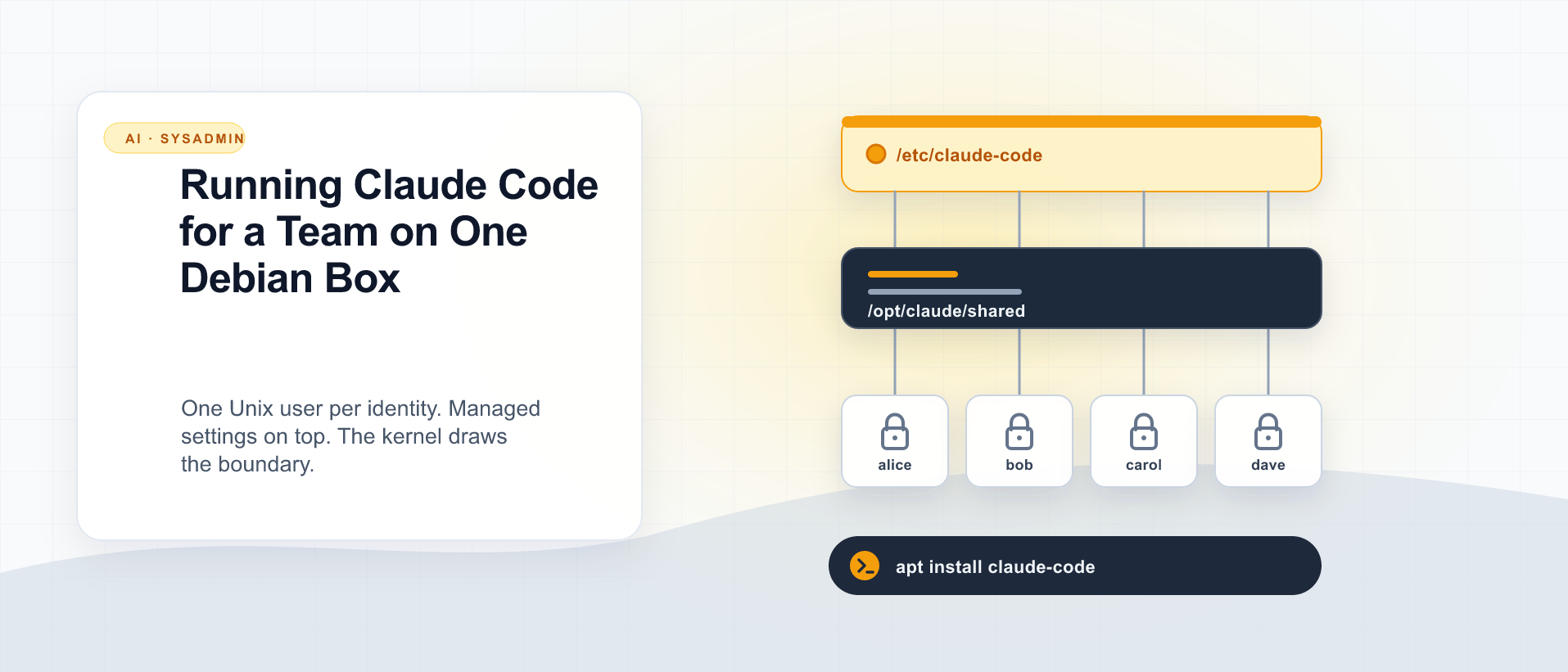
The previous post showed how to run two Claude subscriptions on one laptop by pointing CLAUDE_CONFIG_DIR at a second directory, and it scales cleanly to about ten workspaces. This one is about what happens when you outgrow that — which, in my experience, almost never means “I personally acquired eleven subscriptions.” It means you’ve been handed a Debian box, there are eight developers on it, and someone has asked you to make Claude Code work for all of them.
That’s a different problem wearing the same clothes, and the honest advice is: don’t extend the trick. Delete it.
CLAUDE_CONFIG_DIR isolates configuration. What you need on a shared server is isolation of people, and the operating system has done that properly since before any of us were writing code. The rest of this post is what the multi-user version actually looks like on Debian, including the two things that genuinely have no laptop equivalent: logging in without a browser, and setting policy your users can’t override.
The thing that changes everything: there is no Keychain
On macOS, Claude Code hands your OAuth credentials to the system Keychain, and the OS guards them. That’s why stacking ten config directories under one user account is defensible on a laptop — the secrets aren’t sitting in those directories at all.
On Linux there’s no Keychain, so the credentials go where credentials go:
~/.claude/.credentials.jsonWritten with mode 0600. I checked the write call in the bundle rather than trusting it (mode: 384, which is 0o600), then confirmed it on an actual Debian 12 box:
$ stat -c "%a %U:%G %n" ~/.claude/.credentials.json
600 debian:debian /home/debian/.claude/.credentials.json
That’s the correct permission, and it is also the entire security boundary.
Sit with the implication for a second, because it’s the whole argument for this post. If you put eight developers’ workspaces under one Unix account — ~/.claude-alice, ~/.claude-bob, and so on — then 0600 protects those tokens from other Unix users and from nobody else. Every process running as that account can read all eight. A stray script, a compromised dependency in any project on the box, one careless cat ~/.claude-*/.credentials.json, and you have handed out eight live subscription tokens.
The laptop version was fine because “the other user” was also you. On a company box it isn’t, and the fix isn’t a cleverer directory layout:
One Unix user per identity. No
CLAUDE_CONFIG_DIRanywhere. Each user gets a plain~/.claude, and the kernel enforces the boundary you were trying to fake with an environment variable.
Everything below assumes that shape.
Logging in with no browser
This is the first wall you hit, and it stops people cold. Claude Code’s normal /login opens a browser and waits for a localhost callback. Your Debian box has neither.
There are two workable answers, and one of them is much better for a team.
The good one: long-lived tokens
The CLI ships a command for exactly this:
$ claude setup-token --help
Usage: claude setup-token [options]

Set up a long-lived authentication token (requires Claude subscription)
Run it on a machine that has a browser — the developer’s own laptop — and it produces a token that the server can consume through the environment:
# On the laptop (has a browser):
claude setup-token

# On the Debian box, as that user:
install -m 600 /dev/null ~/.claude/env
printf 'CLAUDE_CODE_OAUTH_TOKEN=%s\n' "$TOKEN" >> ~/.claude/env
Then have the shell source it, or hand it to systemd as an EnvironmentFile (below). The precedence is worth knowing: the CLI checks ANTHROPIC_API_KEY and CLAUDE_CODE_OAUTH_TOKEN before falling back to the stored credentials file, so a token in the environment simply wins.
Two rules that are not optional. The token file is 0600 and owned by the user it belongs to — never a shared /etc/environment, never a file in a repo, never baked into a container image layer. And each developer generates their own on their own laptop; a token you generated for them is a credential you now have to think about forever.
The tolerable one: forward the callback
If you’d rather not deal with tokens, you can SSH-forward the OAuth callback port and do the browser dance from your laptop against the server’s session:
ssh -L 54545:localhost:54545 you@box # port must match the one the CLI printsIt works. It’s also a manual, interactive ritual per user per re-auth, which is precisely the thing that doesn’t scale past a handful of people. Use it to unblock yourself; use tokens for the team.
Shared tooling without shared secrets
The symlink pattern from the laptop post survives the move — it just moves up a level. Put the tooling somewhere root owns and every user reads:
sudo mkdir -p /opt/claude/shared/{agents,skills,commands,hooks}
sudo chown -R root:root /opt/claude/shared
sudo chmod -R 755 /opt/claude/shared
Then link it into each user’s config directory:
for item in agents skills commands hooks; do
  ln -sfn "/opt/claude/shared/$item" "$HOME/.claude/$item"
done
Root-owned and world-readable is the right call and worth being deliberate about: your users get the team’s skills and agents, and none of them can modify what everybody else executes. If you want people contributing skills, they contribute through a git repo that a deploy step syncs into /opt/claude/shared — not by writing into it directly.
Seed it once in /etc/skel/.claude/ and every user you create from then on gets the layout for free.
Note what is deliberately not shared: ~/.claude/.credentials.json, ~/.claude/projects/, and ~/.claude.json. Identity and history stay per-user, exactly as on the laptop. The rule didn’t change, only the enforcement mechanism did.
Managed settings: the part that makes a server easier than a laptop
Here’s the compensation for all that setup. On a shared box you get a policy layer that doesn’t exist in the two-workspace design, and it solves the settings.json-drift problem from the previous post outright.
Claude Code reads a system-wide managed settings file, plus a drop-in directory beside it:
/etc/claude-code/managed-settings.json
/etc/claude-code/managed-settings.d/
(On macOS the equivalent lives under /Library/Application Support/ClaudeCode.) Managed settings sit at the top of the precedence chain — above user settings, above project settings, above local overrides. A developer cannot turn them off from inside a session.
That makes them the correct home for anything that is a company decision rather than a preference:
{
  "permissions": {
    "deny": [
      "Bash(curl:*)",
      "Read(./.env)",
      "Read(./secrets/**)"
    ]
  },
  "env": {
    "CLAUDE_CODE_ENABLE_TELEMETRY": "1",
    "OTEL_METRICS_EXPORTER": "otlp",
    "OTEL_LOGS_EXPORTER": "otlp",
    "OTEL_EXPORTER_OTLP_ENDPOINT": "http://collector.internal:4317"
  }
}
Treat the drop-in directory the way you treat sudoers.d or sysctl.d: one concern per file, managed by config management, so a policy change is a file drop and not a merge conflict in a monolithic JSON blob.
The rule of thumb for what goes where: managed settings for what the company requires, /opt/claude/shared for what the team offers, ~/.claude for what the individual prefers. Get that split right and you never have to reconcile eight copies of anything.
Capacity: budget about 400 MB a session
Concurrency planning is the part people skip and then discover at 3 p.m. on a Tuesday. A single active Claude Code session on my machine sits around 375 MB RSS:
$ ps -o rss=,command= -p "$CLAUDE_PID" | awk '{printf "%.0f MB RSS\n", $1/1024}'
375 MB RSS
Round to 400 MB and plan from there. Eight developers with one session each is roughly 3.2 GB before any of their actual work — before the language servers, the test runs, the containers, the dev servers that Claude is going to start on their behalf. And that “one session each” assumption is optimistic, because the entire point of an agentic workflow is running several at once.
Don’t leave that unbounded on a shared box. systemd’s per-user slices are the least-effort control that actually works:
[Slice]
MemoryHigh=6G
MemoryMax=8G
CPUQuota=400%
That applies per logged-in user, so one person’s runaway fan-out gets throttled instead of triggering the OOM killer on somebody else’s session. If you want sessions to survive logout — long-running agents, tmux-less background work — enable lingering per user:
sudo loginctl enable-linger aliceAnd if you’re running Claude as a service rather than interactively, that’s where the token file earns its keep:
[Service]
EnvironmentFile=%h/.claude/env
ExecStart=/usr/bin/claude -p "…"
Use the absolute path and mean it. systemd units run with a bare PATH and never source anyone’s ~/.zshrc, so a unit that just says claude fails on a box where the binary is only reachable through a shell profile — the same reason ssh box claude --version can come back “command not found” on a machine where claude works fine interactively.
Install once, from Anthropic’s apt repo
Claude Code isn’t in Debian’s own archives — apt-cache search claude on a stock bookworm box returns nothing, and Debian’s source index has no such package. But Anthropic publishes its own signed apt repository, and on a shared machine that’s the install you want:
sudo install -d -m 0755 /etc/apt/keyrings
sudo curl -fsSL https://downloads.claude.ai/keys/claude-code.asc \
  -o /etc/apt/keyrings/claude-code.asc

# Verify before you trust it. Expected fingerprint:
#   31DD DE24 DDFA B679 F42D  7BD2 BAA9 29FF 1A7E CACE
gpg --show-keys --with-fingerprint /etc/apt/keyrings/claude-code.asc

echo "deb [signed-by=/etc/apt/keyrings/claude-code.asc] https://downloads.claude.ai/claude-code/apt/stable stable main" \
  | sudo tee /etc/apt/sources.list.d/claude-code.list
sudo apt update
sudo apt install claude-code
Do the fingerprint check rather than skipping to the apt install. You are adding a third-party archive to a box other people work on, and if the key download quietly fails you’ll get NO_PUBKEY BAA929FF1A7ECACE at apt update and be tempted to reach for --allow-unauthenticated at exactly the wrong moment.
What lands is refreshingly small: a single native binary at /usr/bin/claude, depending on nothing but libc6 (>= 2.17). No Node on the box, no global npm tree to reason about, no maintainer scripts — dpkg -L claude-code is the binary and a copyright file.
Three properties make this the right choice for a machine other people depend on.
The stable channel does the waiting for you. It serves a release roughly a week behind latest and skips versions with known major regressions. There’s a latest channel — same URL with latest in both the path and the suite name. On a shared box, don’t.
Pinning is a one-liner, and the pool keeps its history. Published versions stay in the repository rather than being replaced by the newest, so an exact pin still resolves long after it was written:
sudo apt install claude-code=2.1.223-1
sudo apt-mark hold claude-code
That puts the version on the box into the same config-management run that manages /etc/claude-code, and turns an upgrade into a reviewable diff instead of something that happened overnight.
Package installs don’t self-update. Claude Code’s built-in updater stands down when a package manager owns the binary; upgrades arrive through your normal apt upgrade. That’s the whole difference between a machine on a known version and eight developers on eight versions — where the next weird bug report opens with twenty minutes of establishing who’s running what.
The alternatives, for completeness. sudo npm install -g @anthropic-ai/claude-code still works, but it drags Node in and the prefix isn’t what you’d guess: on Debian with the NodeSource packages npm prefix -g is /usr, not /usr/local, so check with npm prefix -g before you write the path into a systemd unit. And curl -fsSL https://claude.ai/install.sh | bash installs to ~/.local/bin/claude, self-updates, and deliberately refuses to run under sudo — it’s a laptop installer, and on a shared box it gives you precisely the per-user version drift you’re trying to avoid.
Retention, because transcripts are not small
Every user accumulates session transcripts in ~/.claude/projects/. On my primary workspace that directory is 1.5 GB. Multiply by your headcount and put a policy on it before your monitoring does it for you:
# /etc/tmpfiles.d/claude-transcripts.conf
# Remove session transcripts older than 90 days
e /home/*/.claude/projects - - - 90d
Pick the number your company’s retention policy actually mandates rather than the one that keeps the disk quiet — these files contain source code, and on a client-work box they may contain someone else’s source code. That makes retention a contractual question before it’s an operational one, and it’s much easier to answer it now than during an audit.
The provisioning prompt
The laptop post ended with a prompt you could paste into Claude Code. Here’s the server equivalent — it produces a reviewable script rather than making changes directly, which is the correct default for anything that touches /etc on a machine other people depend on.
Write me an idempotent provisioning script for Claude Code on a headless Debian
box shared by multiple developers. Do NOT run it — output it for review.

Design constraints (do not deviate):
- One Unix user per identity. Do not use CLAUDE_CONFIG_DIR anywhere; each user
  gets a plain ~/.claude. The kernel is the isolation boundary.
- Credentials on Linux are ~/.claude/.credentials.json at mode 0600 and are
  never shared, copied between users, or placed in a world-readable path.

The script should:
1. Install claude system-wide from Anthropic's signed apt repository, stable
   channel, at a PINNED version held with apt-mark. Fetch the signing key to
   /etc/apt/keyrings and verify its fingerprint before adding the sources.list
   entry; abort if it doesn't match. Fail loudly if a different version is
   already installed by another method (npm global, or ~/.local/bin per user).
2. Create /opt/claude/shared/{agents,skills,commands,hooks}, root-owned 755, and
   seed /etc/skel/.claude so new users inherit symlinks to it.
3. Take a list of usernames; for each, create the user if missing, create
   ~/.claude owned by them, symlink the shared dirs, and create a 0600
   ~/.claude/env placeholder for CLAUDE_CODE_OAUTH_TOKEN (empty — each dev
   generates their own with `claude setup-token` on their laptop).
4. Write /etc/claude-code/managed-settings.json with a deny list I can edit, and
   telemetry env pointed at an OTLP endpoint I pass as a variable.
5. Drop a systemd user-slice config capping memory and CPU per user, and enable
   lingering for each provisioned user.
6. Add a tmpfiles.d rule aging out ~/.claude/projects after a configurable
   number of days.

Make every step re-runnable without side effects, guard each with a check, and
end with a verification section that prints what was created and what was
skipped. Explain any step where Debian's defaults differ from what you assumed.
Read the output before you run it. It touches user creation, /etc, and systemd — three things worth a human’s eyes even when the agent is right.
When to stop doing this at all
There’s a ceiling on this design too, and it’s lower than you’d think.
The moment you’re administering seats rather than accounts — onboarding and offboarding people, proving to someone who has access to what, wanting a session revoked the same afternoon somebody leaves — a box full of individually-authenticated personal subscriptions is the wrong instrument. There is no central revoke. There’s no SSO. Offboarding is you remembering to delete a token file. Billing is eight separate receipts that someone has to expense.
Claude has team and enterprise plans with actual admin controls, central billing, and managed identity, and the honest end of this post is that they cost less than the hours you’ll spend approximating them. Reach for the org plan when the question stops being “how do I isolate these” and becomes “who has access, and how do I take it away.”
Until then — a handful of engineers, one box, work that needs to start on Monday — the setup above is sound, and the Debian side of it is genuinely less fragile than the laptop version, because managed settings give you a policy layer that no amount of copying settings.json around will ever match.
The idea underneath both posts
Every layer you push isolation down to, it gets cheaper and stronger.
An environment variable isolates configuration, and it’s perfect for one person wearing two hats. A Unix user isolates processes and files, which is what you need the moment the hats belong to different heads. A container or a separate host isolates the kernel, which is where you go when the code being run isn’t yours and you don’t fully trust it.
The mistake isn’t picking the wrong one. It’s picking the lightest one and then quietly asking it to do a heavier layer’s job — ten config directories under a single account, protecting eight people’s credentials from each other with a permission bit that was never aimed at that problem. Match the layer to who you’re isolating from whom, and the setup stops feeling clever and starts feeling boring, which on a shared server is the highest compliment available.

Keep reading

Agent Config, Installed Tool, and Live Behavior Are Three Different Things
A model or workflow can be correct in source and still be absent from the installed runtime. Verify each layer before claiming it works.
Running Independent AI Research Trials
Two isolated research environments can work from the same source material while keeping their analysis independent and reviewable.
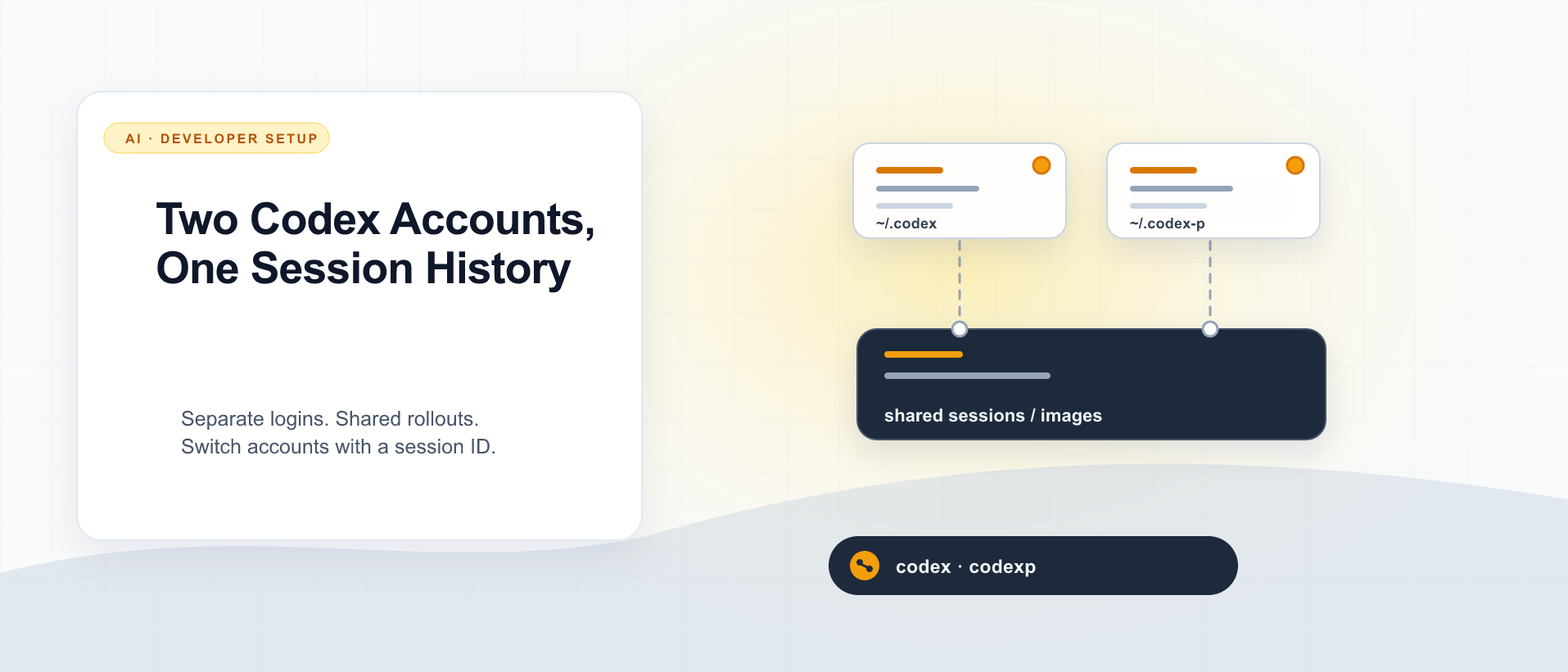
Two Codex Accounts, One Session History
Use CODEX_HOME for a second Codex login, then share only the session files you need to resume by ID. Here is the setup I use, what stays separate, and what I actually verified.
What did you take away?
Thoughts, pushback, or a story of your own? Drop a reply below — I read every one.
Comments are powered by Disqus. By posting you agree to theirterms.