Run Multiple OpenGSD Sessions at Once: Workstreams, Workspaces and Worktrees
The safe way to run concurrent GSD work in one repository: let phases parallelize plans, isolate planning with workstreams, and add workspace or Git-worktree isolation when code can collide.
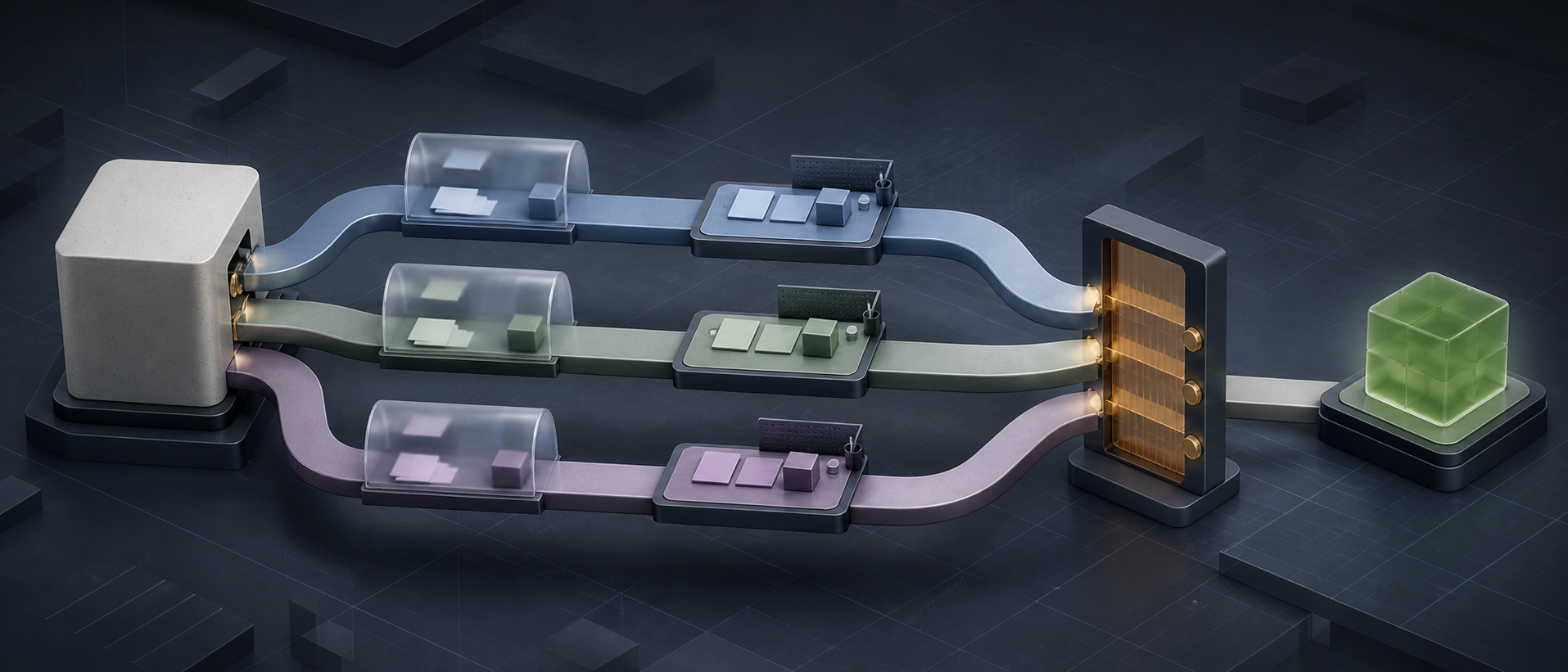
“How do I run multiple GSDs in one repository?” sounds like one question. It is actually three:
- How do I run independent plans inside one phase at the same time?
- How do I keep two roadmaps and state files from overwriting each other?
- How do I keep two coding sessions from editing the same checkout?
OpenGSD has a different isolation layer for each problem. Use the lightest layer that solves the collision you actually have.
If you are new to the workflow, read OpenGSD Getting Started and the everyday OpenGSD field guide first.
The three layers of parallelism
| Layer | What it isolates | Use it when |
|---|---|---|
| Execute-phase waves | Independent plans and executor contexts | One phase contains plans that do not depend on or overlap each other |
| Workstreams | STATE.md, ROADMAP.md, requirements and phase planning | One repository has independent milestone areas progressing concurrently |
| Workspaces / Git worktrees | Branch, working files and the whole .planning/ root | Concurrent work can edit overlapping code, needs separate branches, or spans repositories |
This distinction prevents the most common mistake: creating several top-level GSD sessions when one /gsd-execute-phase already knows how to parallelize the phase safely.
First choice: let one phase parallelize itself
Suppose Phase 3 contains three plans:
- add API validation;
- build an independent settings screen;
- update documentation after both land.
The planner can put the first two in Wave 1 and the documentation plan in Wave 2. You run:
/gsd-execute-phase 3GSD creates fresh executor contexts for the independent plans and integrates the wave before starting the dependent plan. You do not need three terminals or three workstreams.
Use this when all work serves one phase goal. One owner retains a coherent view of the phase, and the plan graph expresses the dependencies.
Use workstreams for independent milestone areas
A workstream is an isolated planning context inside the same repository. According to the official workstreams guide, each workstream gets its own subtree:
.planning/
├── PROJECT.md
├── config.json
└── workstreams/
    ├── backend-api/
    │   ├── STATE.md
    │   ├── ROADMAP.md
    │   ├── REQUIREMENTS.md
    │   └── phases/
    └── frontend-dashboard/
        ├── STATE.md
        ├── ROADMAP.md
        ├── REQUIREMENTS.md
        └── phases/
The project context and Git history are shared. The roadmaps, current positions and phase artifacts are not.
Create the workstreams
Start from an active GSD project—one with .planning/ROADMAP.md—then create named lanes:
/gsd-workstreams create backend-api
/gsd-workstreams create frontend-dashboard
/gsd-workstreams list
Names should describe durable concerns, not terminal numbers. backend-api will still make sense next week; agent-2 will not.
Bind one terminal to each workstream
In terminal A:
/gsd-workstreams switch backend-api
/gsd-new-milestone --ws backend-api "Harden the public API"
/gsd-discuss-phase 1 --ws backend-api
/gsd-plan-phase 1 --ws backend-api
In terminal B:
/gsd-workstreams switch frontend-dashboard
/gsd-new-milestone --ws frontend-dashboard "Rebuild dashboard navigation"
/gsd-discuss-phase 1 --ws frontend-dashboard
/gsd-plan-phase 1 --ws frontend-dashboard
Upstream documents the switch as session-scoped, so separate terminals can hold different active workstreams. I still prefer an explicit --ws on commands that create, plan, execute, verify or automate work. The flag has the highest routing priority and leaves less room for a stale session pointer to send a command into the wrong lane.
In Codex, use the $gsd-* skill names if that is how your interface renders installed skills; the workstream arguments remain the same.
Operate and resume the lanes
/gsd-workstreams progress
/gsd-workstreams status backend-api
/gsd-workstreams resume frontend-dashboard
When one lane finishes:
/gsd-workstreams complete backend-apiCompletion archives the planning state. It should happen after the workstream is genuinely integrated and verified, not merely because an executor stopped.
Workstreams do not isolate source code
This sentence deserves its own section:
Workstreams isolate planning state. They do not give two terminals separate copies of the code.
If both sessions operate in the same working directory, they see the same uncommitted files and index. One can format, stage, rename or delete a file while the other is reading it. Separate STATE.md files do not prevent a collision in package.json.
Workstreams are enough when:
- all work is in one repository and shares Git history;
- the primary collision is planning state;
- code ownership is clearly separated;
- GSD’s executor worktrees provide sufficient isolation during execution;
- the lanes do not compete for one database, port, schema, generated client or central manifest.
Add stronger isolation when those statements are not true.
Use a GSD workspace for branch and filesystem isolation
A workspace is heavier. It creates a separate environment with its own .planning/, dedicated branch and one or more Git worktrees or clones.
For the current repository:
/gsd-workspace --new --name payments-rework --repos .
cd ~/gsd-workspaces/payments-rework
/gsd-new-project
The default branch is workspace/payments-rework. You can name it explicitly:
/gsd-workspace --new \
  --name payments-rework \
  --repos . \
  --branch feature/payments-v2
For a multi-repository change:
/gsd-workspace --new \
  --name billing-contract \
  --repos web-app,billing-api
List and remove managed workspaces with:
/gsd-workspace --list
/gsd-workspace --remove payments-rework
The official workspace guide documents worktree, clone, custom path and branch options.
Use a workspace when a lane is experimental, risky, branch-specific, multi-repository, or likely to overlap files with another lane. The extra directory is cheaper than reconstructing two sessions’ interleaved edits.
Do not parallelize a dependency chain
Imagine this roadmap:
Phase 1: introduce provider-neutral interface
Phase 2: migrate existing provider
Phase 3: add second provider
Phase 4: enable write actions
Those are not four independent workstreams. Phase 2 needs the interface from Phase 1. Phase 3 relies on the contract proven by Phase 2. Phase 4 should not start before read behavior and authorization boundaries are stable.
Running all four simultaneously creates motion, not throughput. Keep them in one dependency chain. Let each phase parallelize only the plans whose file ownership and prerequisites are genuinely independent.
A workstream is appropriate for “API hardening” and “documentation-site redesign” if they can ship independently. It is not a loophole around Depends on.
Protect shared resources, not just files
Two clean Git worktrees can still collide through everything outside Git:
- the same development database;
- Redis database zero;
- a shared test bucket or queue;
- one fixed localhost port;
- generated files written outside the worktree;
- a singleton emulator or browser profile;
- rate-limited external accounts.
Give each lane isolated resource names and ports where practical. Otherwise serialize the relevant test or migration. A parallel test run against one shared database can produce a fast, convincing, completely false failure.
Merge with a named owner
Parallel lanes need a single integration owner. Before the first merge:
git branch --show-current
git status --short
git worktree list --porcelain
Then confirm:
- the intended target branch—not assumed
main; - which lane owns shared files and generated artifacts;
- whether each source branch is clean and based on the expected revision;
- the order for dependent merges;
- which quality gates run after integration;
- whether push, deployment or cleanup has been separately authorized.
Merge planning changes deliberately too. Two workstreams can both be valid while their integrated product decisions conflict. Git resolving the text does not resolve the architecture.
The concurrency recipe I recommend
For most teams:
- Use one full GSD phase per coherent outcome.
- Let
/gsd-execute-phaseparallelize independent plans internally. - Create workstreams only for milestone areas that can progress independently.
- Pin every automated command with
--ws <name>. - Give overlapping or risky lanes separate GSD workspaces or Git worktrees.
- Isolate databases, ports and external test resources as well as files.
- Serialize shared schemas, manifests and generated clients under one owner.
- Integrate into the explicitly named current branch.
- Re-run repository-wide validation after merging lanes.
- Archive workstreams and remove workspaces only after ancestry, cleanliness and verification are proven.
That is how you run multiple OpenGSD sessions without turning “parallel” into “several agents editing the same truth at once.”
Sources

The Parallel Developer
8 parts in this series.
An eight-part series on running multiple features in flight with git worktrees, OpenSpec, Beads, AI agents, and OpenGSD — from the first disciplined phase loop to safely operating concurrent workstreams.
- 01Why Agentic Coding? It's Not About the AI
- 02Git Worktrees: Branches as Places, Not States
- 03OpenSpec: Write the Contract Before the Code
- 04Beads: A Local-First Task Graph for Developers and AI Agents
- 05AI Agents That Work: Give Them Structure, Not Just Prompts
- 06OpenGSD Getting Started: From Install to Your First Shipped Phase
- 07OpenGSD After Installation: The Everyday Workflow and the Commands Worth Rememberingprevious
- 08Run Multiple OpenGSD Sessions at Once: Workstreams, Workspaces and Worktrees← you are here
What did you take away?
Thoughts, pushback, or a story of your own? Drop a reply below — I read every one.
Comments are powered by Disqus. By posting you agree to theirterms.