What Actually Happens When You Send an AI Prompt?
Follow a repository question through tokenization, prefill, and decode to see why memory capacity, bandwidth, and compute solve different problems.
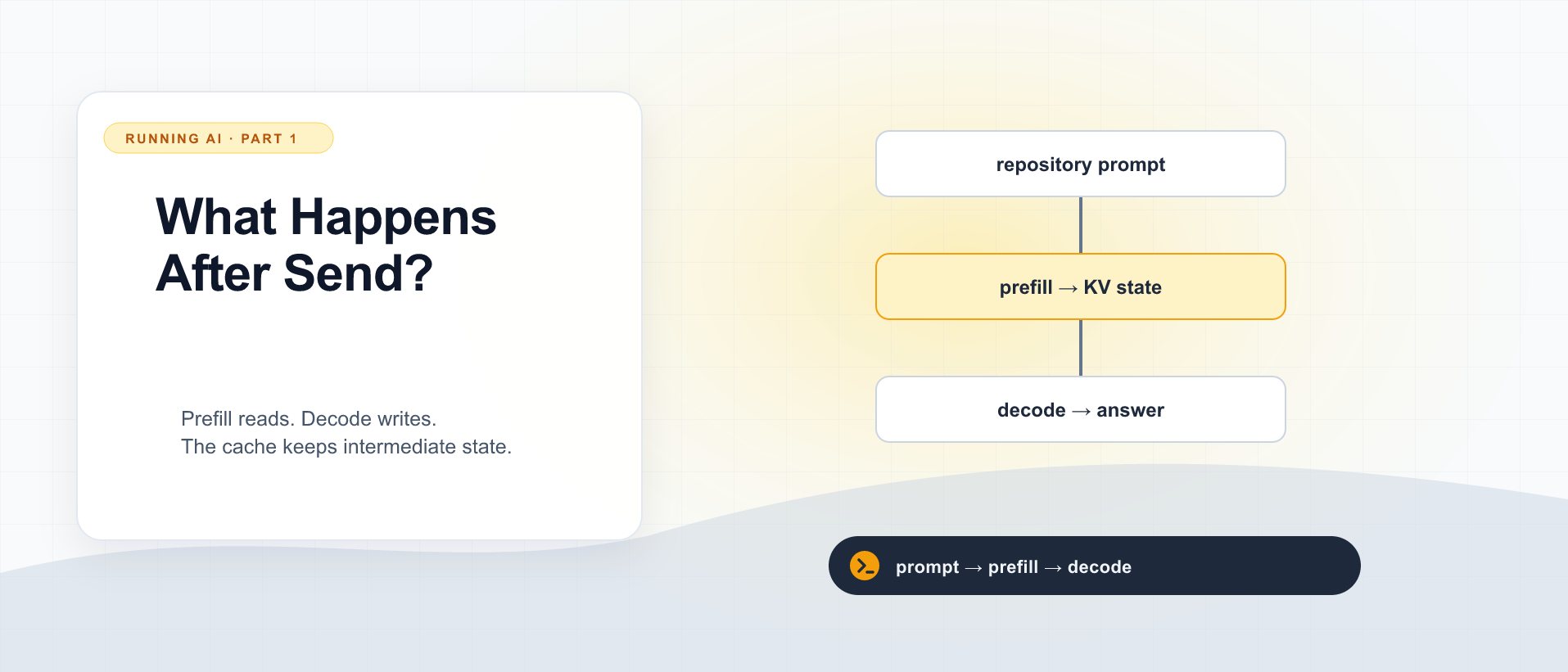
You ask a coding assistant, “Where does this repository decide whether a user can edit an invoice?” The cursor sits still. Then an answer arrives a little at a time. A follow-up feels much faster. Later, a colleague asks something similar and waits again.
Those pauses are clues. A hosted service hides the machinery, but it still has to load a model, process your context, and produce an answer. Running the weights yourself makes that machinery your responsibility. Understanding the sequence helps you decide whether a slow assistant needs a smaller prompt, more memory, a faster processor, or a better serving setup.
This series follows that same invoice repository through an initial question, a follow-up, and requests from several colleagues. No machine learning background is assumed. Choosing Your AI Stack covers the surrounding provider and workflow choices; here we open the inference server and follow the work.
All performance numbers below are illustrative calculations, not measurements of hardware we own. The arithmetic is a way to ask better questions, not a benchmark forecast.
New to the terminology? Use the AI glossary. Linked terms also show a definition on hover or keyboard focus.
The repository does not travel into the model by magic
Start with the client. A coding assistant uses an agent harness around a language model. The harness coordinates context, tools, permissions, and the work loop; the inference server executes the model requests. Our companion article, From Prompts to Harnesses, explains how these responsibilities evolved. It may search filenames, read instructions, retrieve source files, and call tools. The model receives whatever that program includes in its request. Merely opening a repository in an editor does not make every file part of every prompt.
For our question, suppose the assistant collects an authorization policy, an invoice controller, related tests, and project instructions. It also supplies descriptions of available tools and some conversation history. The small sentence you typed can therefore become a much larger input.
That distinction matters when measuring latency. Time spent searching the repository occurs outside model inference. A tool call can require another model request afterward. The time until the final explanation appears may include several trips through the server, even though the interface presents one interaction.
The server then turns text into tokens, the units the model consumes. A token might represent a word, part of a word, punctuation, or whitespace. Code identifiers and unusual strings can split differently from everyday prose. Token counts depend on the tokenizer, so counting characters is only a rough planning shortcut. Use the selected model’s tokenizer or the server’s reported input count when measuring.
Weights are the program’s learned numbers
A model’s weights are numerical arrays learned during training. Inference uses these arrays to transform input into a distribution over possible next tokens. Ordinary prompting does not rewrite them. Asking about invoice permissions changes the input and temporary state, not the model’s training.
Loading the weights is a separate event from answering a prompt. If the serving process already has the model resident in memory, another request usually does not reload the entire file from disk. If the process has just started or switches models, loading can dominate the wait. A “cold model” and a “cold prompt cache” are different conditions.
The file size is useful but incomplete. A quantized weight file stores numbers at reduced precision, often with scales and metadata. Runtime layouts, temporary buffers, and conversation state need additional memory. We will budget those in the next article.
For now, imagine weights as reusable machinery: the same machinery handles every invoice question, while each request brings its own working material.
Prefill reads the prompt; decode writes the continuation
In prefill, the model processes the input tokens. Many token positions can be handled together using large matrix operations, subject to the model’s attention rules. This gives the accelerator substantial parallel work. A long repository prompt can make this stage expensive before any answer becomes visible.
In decode, the model produces a continuation autoregressively. It predicts a token, selects one according to the generation settings, adds it to the sequence, and repeats. Later output depends on earlier output, which limits how much of a single ordinary response can be generated simultaneously. Techniques such as speculative decoding can change the execution pattern, but the basic dependency remains.
During both stages, an attention-based model builds keys and values: numerical representations used when subsequent tokens attend to previous positions. Retaining these representations in a KV cache avoids rebuilding the old keys and values at every generation step. The cache contains model state, not a dictionary of completed answers. Hugging Face’s cache explanation describes this mechanism.
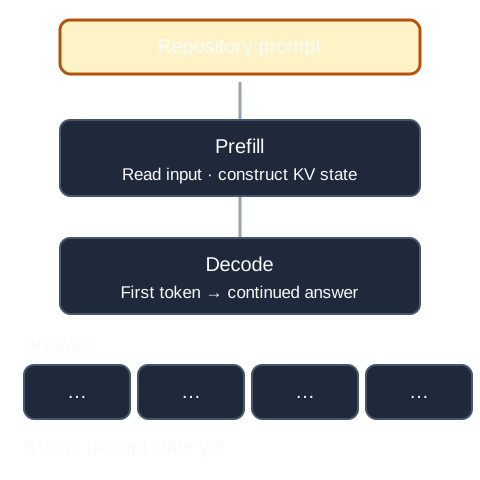
The prompt is processed in prefill before decode produces an answer. Stored KV state grows with the sequence.
Watch for the distinction between storing earlier attention state and storing an answer in IBM Technology’s explanation. The diagram above is sufficient to follow the rest of this article; the video supplies another way to picture the cache.
The practical consequence is a time–memory tradeoff: retaining intermediate state saves repeated computation but occupies memory. It does not make reading the repository free, and it does not eliminate attention work over the retained context. Longer conversations can therefore consume more memory and slow generation even when the weights stay exactly the same.
Three hardware questions hiding inside “fast enough”
Capacity asks whether the weights, state, and working buffers fit. Running out may cause rejection, eviction, offload to another memory tier, or failure. More capacity can turn an impossible workload into a possible one without making a smaller workload faster.
Bandwidth asks how quickly bytes move. During lightly batched decode, repeatedly accessing large weight arrays and attention state can matter more than peak arithmetic capability. A processor can spend time waiting for data even when its advertised compute figure is impressive. Local GPU memory, shared system memory, and a cable between devices have different bandwidths.
Compute asks how quickly the machine performs numerical operations. Prefill often exposes more parallel work than one-token-at-a-time decode, making compute capability particularly relevant. These are tendencies, not laws: batching, architecture, context length, kernels, and precision change which resource dominates.
Buying more of the wrong resource disappoints. Extra memory will not necessarily shorten a compute-heavy prefill. More arithmetic units will not rescue a saturated transfer path. A fast interconnect will not make an unsupported model kernel start working.
A worked latency budget
Consider this illustrative calculation: the server receives a prompt containing 12,000 tokens and produces 600 output tokens. Assume prompt processing averages 1,500 tokens per second and generation averages 30 tokens per second. These assumed rates are independent inputs, not claims about a particular model.
| Stage | Illustrative calculation | Time |
|---|---|---|
| Queue and request preparation | Assumed combined delay | 0.5 seconds |
| Prefill | 12,000 ÷ 1,500 | 8 seconds |
| Generation | 600 ÷ 30 | 20 seconds |
| Approximate completion | 0.5 + 8 + 20 | 28.5 seconds |
Time to first token is roughly queueing plus preparation plus prefill plus the work needed to emit the first output. Some timing conventions include that first-token work in prefill, so do not treat this simplified table as an exact profiler trace.
Now double the assumed generation rate. The answer finishes about ten seconds sooner, but the initial pause barely changes. Instead double the assumed prompt-processing rate: the initial pause falls by about four seconds, while the remaining answer still arrives at the same pace.
This is why “tokens per second” without a stage label is weak evidence. Prompt throughput and output throughput describe different work. Aggregate output from many requests is also different from the generation rate seen by one reader.
A warm reusable prefix might reduce the prefill portion further. That possibility introduces another distinction: the KV cache used within one generation does not automatically imply that a serving engine retains and reuses it across separate requests. Prefix caching is an additional serving behavior.
The answer can be fast and still be wrong
Our assistant might identify the invoice controller while missing a background job that bypasses the same policy. Faster inference does not establish repository comprehension. The useful result is a correct explanation with evidence, not merely a short latency number.
Keep a small acceptance question next to the performance measurement. For example: does the answer name the actual authorization method, identify its caller, and distinguish read access from edit access? If you shorten the prompt, change quantization, or switch models, check that same answer again.
This also explains why a giant context window is not automatically preferable. Irrelevant files consume processing and attention capacity while potentially distracting the model. A targeted repository search can improve both time and usefulness. An agent’s ability to choose context is part of system performance, even when it never appears on a GPU specification sheet.
Optional experiment: separate the two waits
Use an existing local inference endpoint and a non-sensitive repository excerpt. Keep the model, precision, output limit, and sampling settings fixed. Record the exact engine version and whether the model was already loaded.
Prepare a short prompt and a longer version that adds relevant source material. Send them sequentially with streaming enabled. For each request, record the send time, first non-empty output event, last output event, input and output token counts, peak memory, and any cache-hit metric the server exposes. Label the resulting table our measurement only after actually running it.
Compute time to first token from send to first output. Compute total completion time from send to last output. Estimate generation speed using the engine’s generated-token count and decode duration where available; network event counts are not token counts, since an event can contain several tokens.
Repeat each condition enough to see variability, and distinguish the initial load from subsequent runs. If testing uncached prefill, use the engine’s documented cache control or clear only your disposable test server’s cache. Do not silently call every first request “cold” when it may hit retained state.
Finally, ask the same invoice follow-up. If it starts faster, compare cache statistics before crediting the hardware. You now have a useful vocabulary for the next investigation: whether the model fits, how much conversation state remains, and what happens when colleagues arrive together.

Running AI Yourself: Where the Time and Memory Go
6 parts in this series.
Six practical explainers following a coding assistant from its first repository question to a shared local service: inference, memory budgets, PCIe topology, prompt caching, scheduling, and hardware placement.
- 01What Actually Happens When You Send an AI Prompt?← you are here
- 02Your Model Fits. Why Does Your Conversation Run Out of Memory?up next
- 03Two GPUs, One Narrow Cable: Where Does the Traffic Go?
- 04Stop Reprocessing the Same Prompt: Caching for Coding Agents
- 05Prefix Caching, Chunked Prefill, and the Trouble with Chunks
- 06One Halo, Several Halos, or a Desktop Full of GPUs?
What did you take away?
Thoughts, pushback, or a story of your own? Drop a reply below — I read every one.
Comments are powered by Disqus. By posting you agree to theirterms.