The Agentic Developer's Field Guide
Everything published here about agentic coding, AI tooling, and developer workflows — in one place, with a recommended reading order.
“Agentic coding” is an overloaded phrase. It gets used to mean inline AI autocomplete, autonomous multi-step coding agents, AI-orchestrated CI pipelines, and everything in between.
This guide maps what I’ve written about it — four series covering different layers of the same problem — and gives you a recommended entry point based on where you’re at.
What agentic coding actually means
A copilot-style tool (GitHub Copilot, Cursor tab completion) makes inline suggestions. You approve them one at a time. The model sees one file. The feedback loop is fast.
An agent is different. It reads many files, runs commands, makes decisions, writes multiple files, opens pull requests. It operates over longer time horizons. It fails when it has ambiguous context. It succeeds when the workflow around it is structured.
The tools and techniques in these series are about that second category. The structure you build around the agent is most of the work — and most of the value.
Four series. One reading order.
1. Configure Your AI Coding Environment ← start here
Before anything else works, you need the configuration layer in place. This series covers the .claude/ folder structure, how to write CLAUDE.md files agents actually follow, hooks that automate your session setup, team permission sharing, and a cross-tool guide for Cursor, Copilot, Windsurf, and Windows users.
Start with: The Two Configuration Layers Every AI Developer Needs
| Post | What it covers |
|---|---|
| The Two Configuration Layers | ~/.claude/ vs .claude/ — what belongs where |
| Writing CLAUDE.md That Agents Follow | Short + enforced beats long + aspirational |
| Hooks That Pay for Themselves | Session-start, pre/post-tool automation |
| Project Settings and Team Sharing | settings.json, gitignore strategy, onboarding |
| Not on Claude? Cross-Tool Configuration | Cursor, Copilot, Windsurf, Windows/Linux notes |
2. Agent-Ready React
If your AI agent keeps making inconsistent choices in your codebase — writing different patterns for similar tasks, using deprecated components, ignoring your stated conventions — the problem usually isn’t the agent. It’s the codebase. This series covers how to diagnose and fix it.
Start with: Why Your Legacy React Codebase Confuses AI Agents
| Post | What it covers |
|---|---|
| Why Legacy React Confuses AI Agents | The five patterns that make agents inconsistent |
| A 3-Week Plan to Agent-Ready React | Concrete execution: audit, lint gate, architectural collapse |
| Rules Agents Actually Follow | Enforcement over aspiration — pre-commit hooks and CI |
| What to Put in design.md | The decision document, not the style guide |
| Writing Task-Specific Agent Prompts | The highest-leverage agentic asset most teams skip |
| Session-Start Hooks That Pay for Themselves | Zero ongoing cost, measurable improvement on every session |
3. The Parallel Developer
One developer, three features in flight simultaneously. No context switches, no stash dance, no “which migration was I on?” This series covers git worktrees for parallel workspaces, OpenSpec for spec-before-code, Beads for local task graphs, and the full agentic loop from GitHub Issue to merged PR.
Start with: Why Agentic Coding? It’s Not About the AI
| Post | What it covers |
|---|---|
| Why Agentic Coding? | Copilot vs. agents, structure as the actual value |
| Git Worktrees: Branches as Places | One repo, three running apps, zero context switches |
| OpenSpec: Contract Before Code | Explore → Propose → Apply. The human review gate. |
| Beads: A Local-First Task Graph | bd ready, one bead = one worktree, jq queries |
| AI Agents That Work | The 10-step loop. Three worktrees. A day in the life. |
4. AI Tooling for Developers
The agent ecosystem beyond your coding IDE — MCP versus CLI tradeoffs, Jira and Notion integrations, automated release notes, and three tools worth knowing: Paperclip for multi-agent governance, OpenClaw for personal automation, and Hermes for model-agnostic self-improving agents.
Start with: MCP vs CLI: The Token Cost You’re Not Tracking
| Post | What it covers |
|---|---|
| MCP vs CLI | Token overhead, decision framework, hybrid pattern |
| Jira MCP Setup | Step-by-step, sprint cache trick, when to skip MCP |
| Notion MCP Setup | Setup, quirks, session-start hook for caching |
| Automating Release Notes | git log → beads → agent → Notion/Jira, end to end |
| Paperclip: Managing Agents Like a Team | Org charts, budgets, audit logs for multiple agents |
| OpenClaw: A Personal AI with System Access | Local, connects to chat apps, self-improving skills |
| Hermes: Self-Improving Agents on Cheap Infrastructure | Model-agnostic, MCP-compatible, $5 VPS |
5. Choosing Your AI Stack
The model you use today won’t be the best model in 12 months. This series covers token vs. subscription pricing math, when each Claude tier earns its cost, DeepSeek as a legitimate cost alternative, GLM and CodeGeeX for open-weight and bilingual needs, local models when code can’t leave your machine, and how to build workflows that survive model switches.
Start with: Token vs Subscription: Which AI Pricing Model Is Right for You
| Post | What it covers |
|---|---|
| Token vs Subscription | Break-even math, team dynamics, hybrid approach |
| Claude Models for Coding | Opus/Sonnet/Haiku decision tree, prompt caching math |
| DeepSeek for Developers | 10x cheaper, strong at code, data residency notes |
| GLM Models | Open weights, bilingual, CodeGeeX IDE extension |
| Local Models | Qwen-Coder, hardware requirements, Ollama setup |
| Model-Agnostic Workflows | What’s portable vs. tool-specific, migration checklist |
Where to start based on your situation
“I want to start using AI for coding today” → Configure Your AI Coding Environment first, then come back here.
“My AI agent keeps making inconsistent choices” → Why Legacy React Confuses AI Agents.
“I want to run multiple features in parallel without context switching” → Why Agentic Coding?.
“I want to automate things beyond just coding” → MCP vs CLI.
“I don’t know which model or pricing plan to use” → Token vs Subscription.
“I’m not using Claude — I use Cursor / Copilot / something else” → Not on Claude? The Cross-Tool Configuration Guide.
“I’m on Windows” → Same as above — Windows notes are in that post.

Keep reading

Agent Config, Installed Tool, and Live Behavior Are Three Different Things
A model or workflow can be correct in source and still be absent from the installed runtime. Verify each layer before claiming it works.
Running Independent AI Research Trials
Two isolated research environments can work from the same source material while keeping their analysis independent and reviewable.
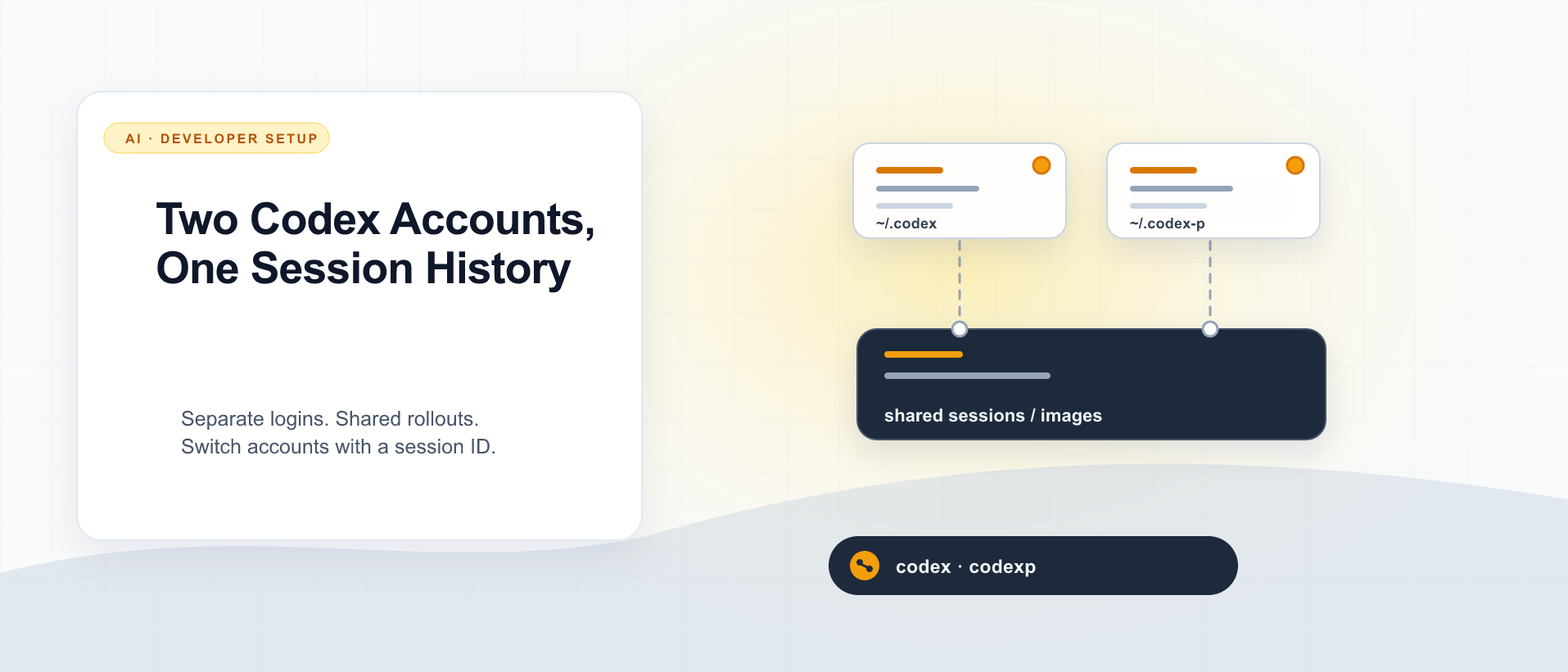
Two Codex Accounts, One Session History
Use CODEX_HOME for a second Codex login, then share only the session files you need to resume by ID. Here is the setup I use, what stays separate, and what I actually verified.
What did you take away?
Thoughts, pushback, or a story of your own? Drop a reply below — I read every one.
Comments are powered by Disqus. By posting you agree to theirterms.